
Product
One patient record, every department
HaxenCare follows the patient through the hospital. Each department sees what it needs and records its own work; the record and the bill stay complete.
Records and registration
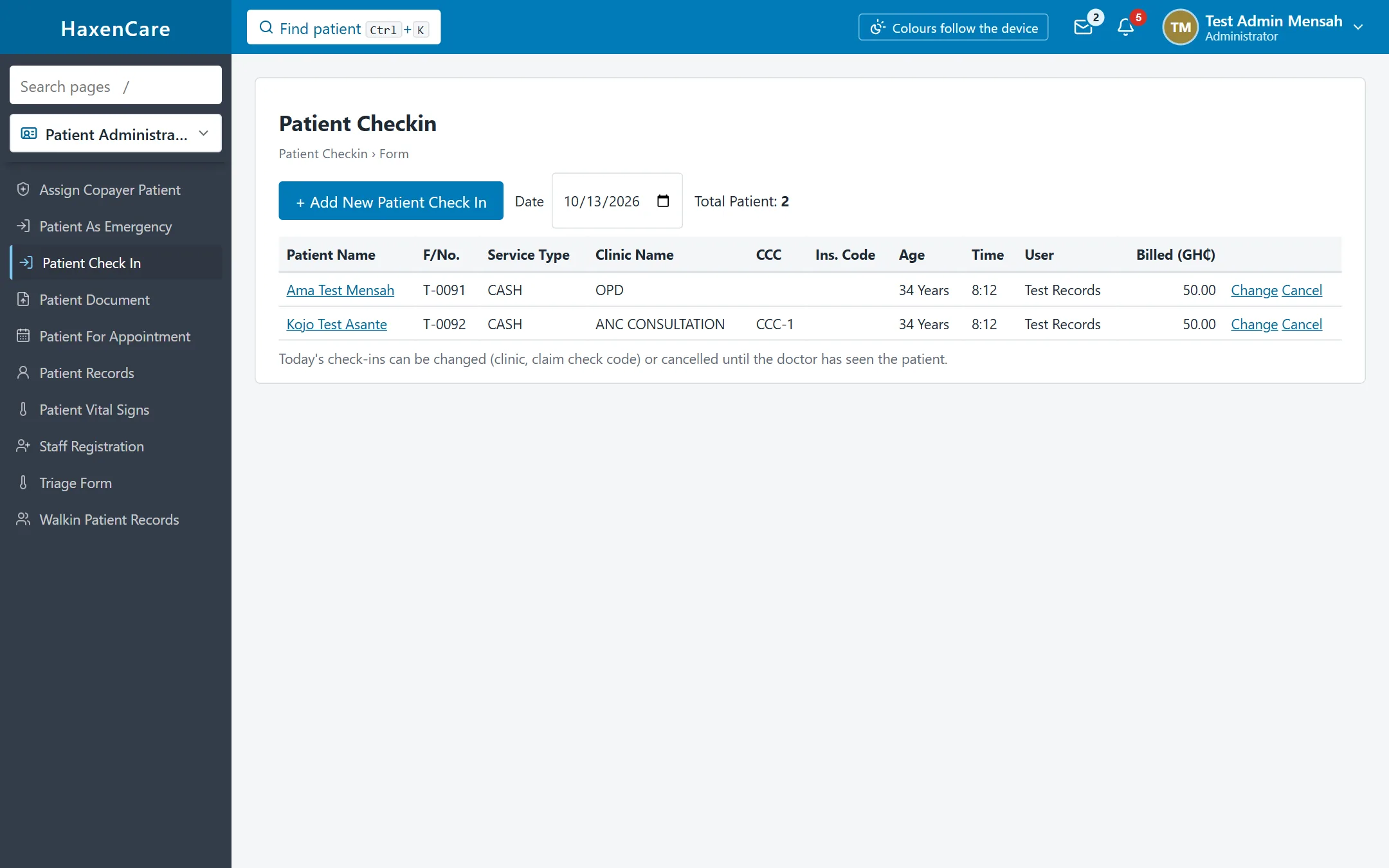
- New patients registered with a check for likely duplicates before a second record is made.
- Folder numbers issued by the system, so two patients never share one.
- Check-in for each visit, with the visit's bills raised in the same step.
- Patient documents (scans, reports) attached to the record, opened only by staff allowed to.
Triage and nursing
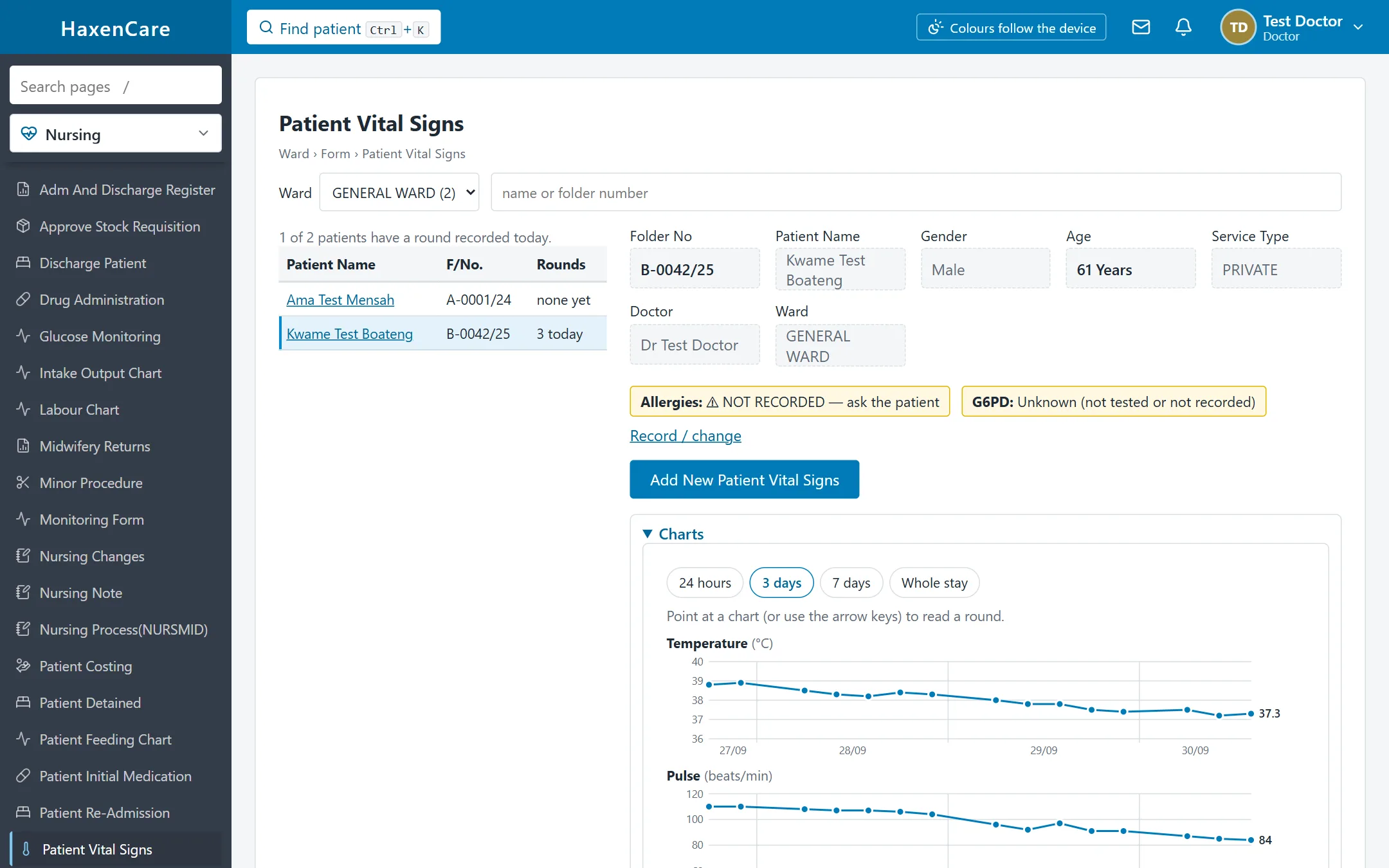
- Vital signs with limits that flag impossible or dangerous values before they are saved.
- Triage form using the South African Triage Scale, switched on once the hospital's Clinical Safety Officer has approved the bands.
- Ward rounds: vital signs by round, drug administration with the actual time given, nursing notes, monitoring, glucose, feeding, intake-output and seizure charts, labour chart, nursing process.
- Admissions, transfers, re-admissions and discharge; the ward's state at a glance.
Consultation
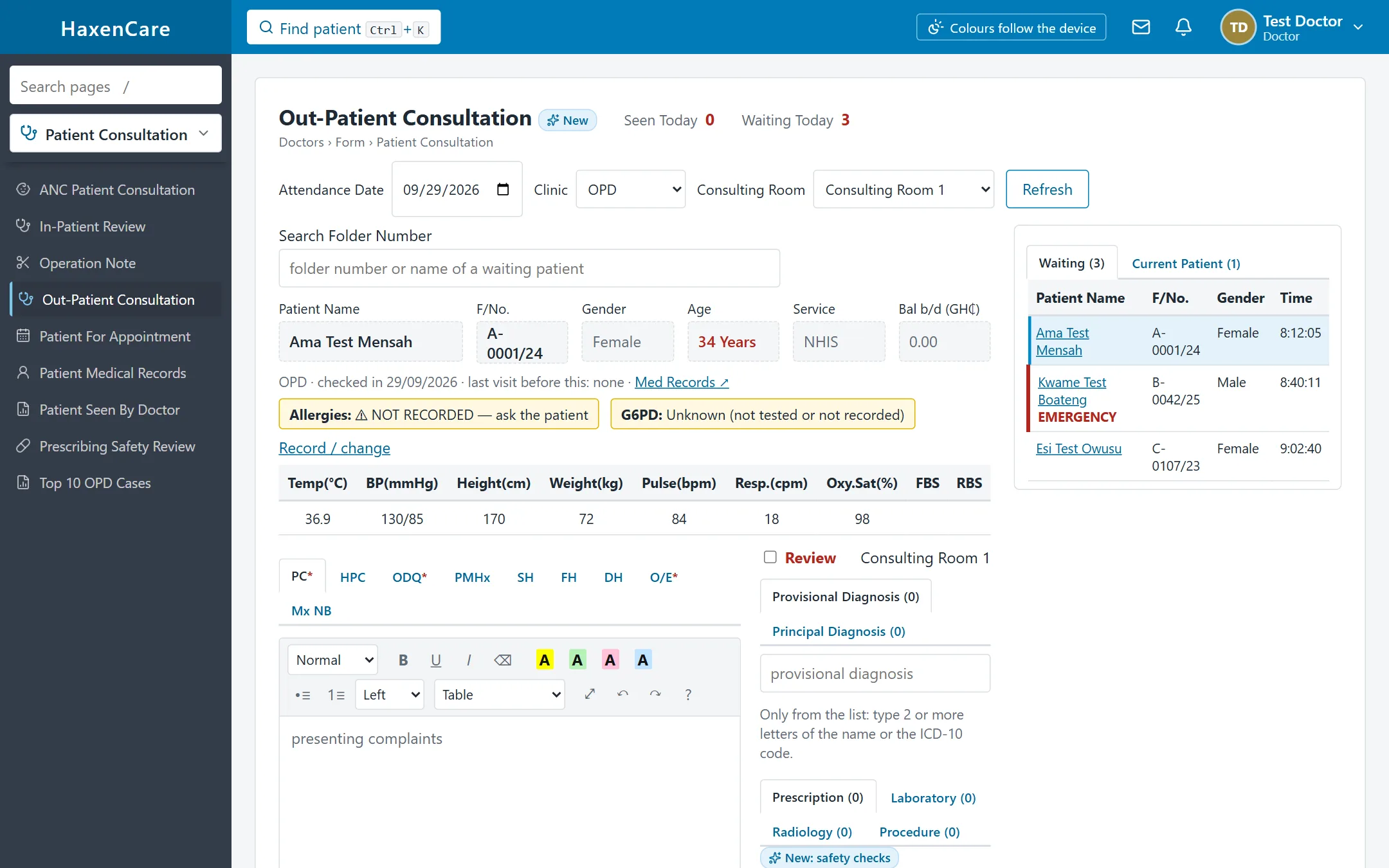
- History, examination, diagnosis (ICD-10), laboratory and imaging requests, procedures, prescriptions, admission, referral and appointments on one page.
- The patient's allergies and alerts on every clinical page.
- Prescribing checks for allergies, G6PD deficiency and children's doses: built in, and switched on once your Clinical Safety Officer has approved the rule lists. In an emergency a doctor can proceed with a PIN and gives the reason afterwards.
- Work saved on the server as the doctor types, so a power cut does not lose a consultation.
- Antenatal visits and in-patient reviews.
Laboratory
- Requests arrive from the consultation; samples are received with a printed label.
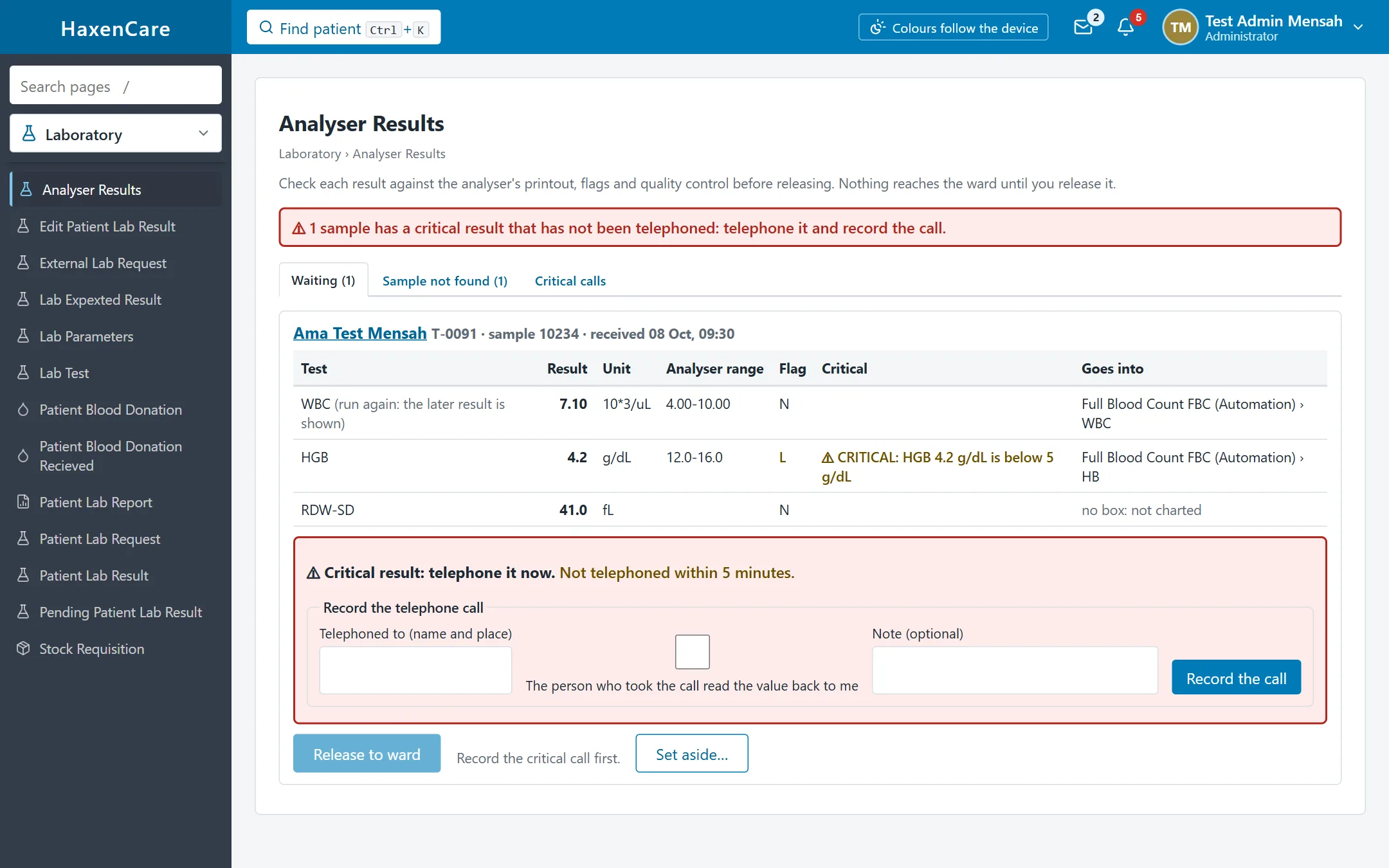
- Results entered with reference ranges; corrections recorded, never overwritten.
- Critical results cannot be released until the call to the ward is recorded, with read-back.
- Connects to your laboratory analyser (analysers using the ASTM standard, for example Sysmex); set up and checked with your analyser during installation.
Radiology
- Ultrasound and X-ray requests, results and structured ultrasound reports.
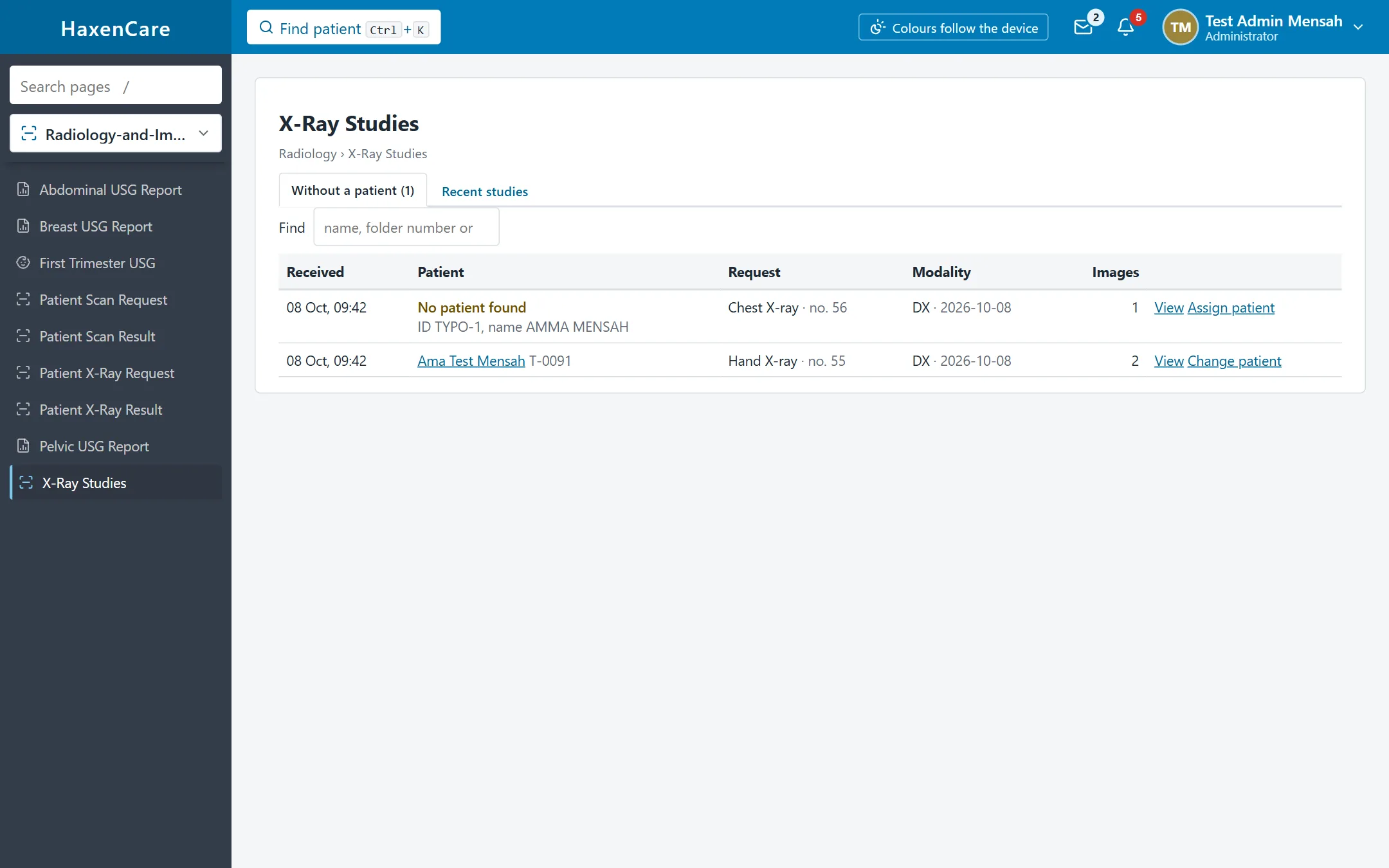
- Digital X-ray images received from the X-ray console (DICOM), matched to the right patient and viewed in HaxenCare. Set up and checked with your console during installation.
Pharmacy and stores
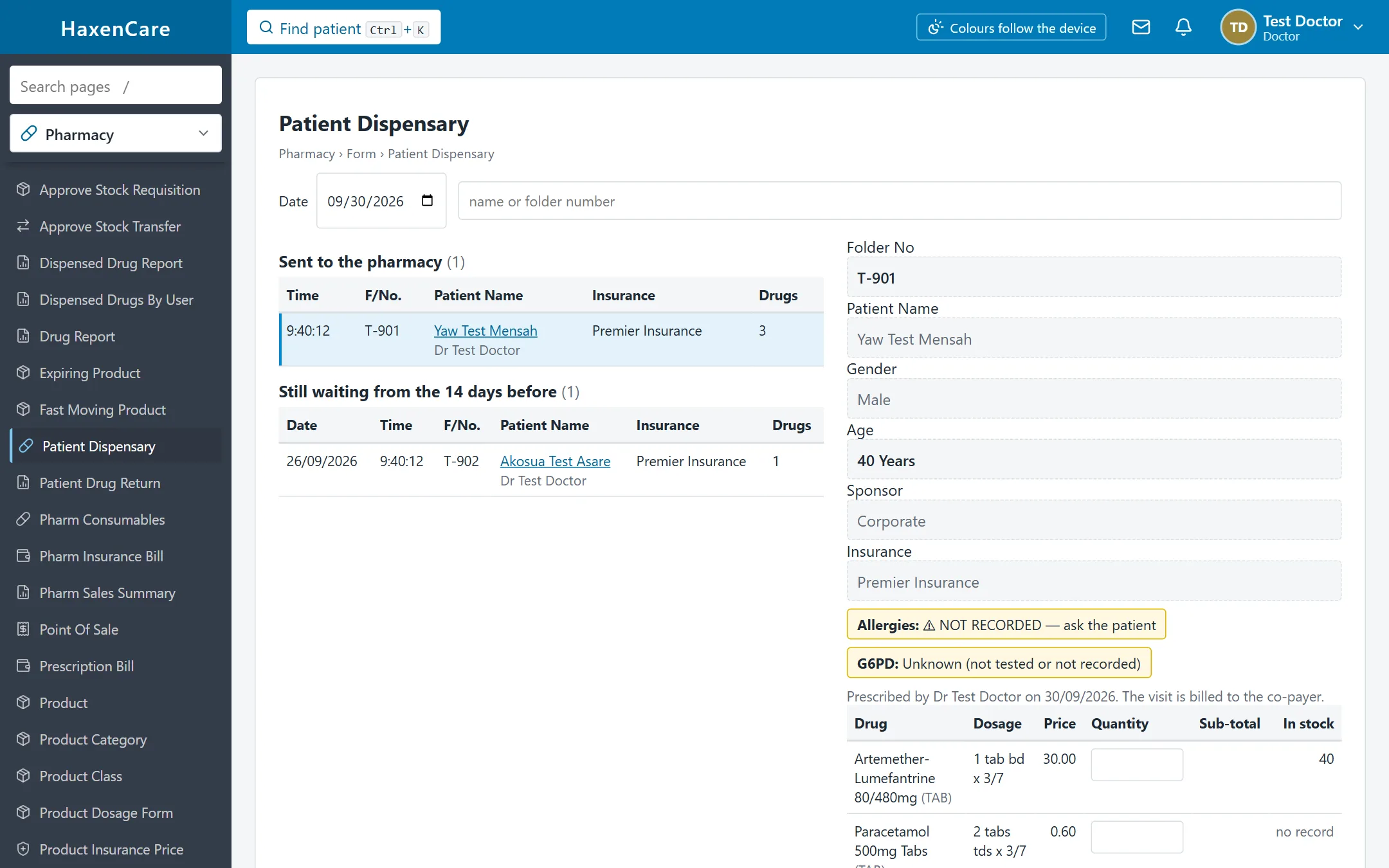
- Dispensing from the doctor's prescription, billed at the counter.
- One stock ledger: requisitions, transfers, receiving, stock taking, adjustments with a reason, purchase orders and returns. Expiry and out-of-stock reports.
- Cash and insurance prices per product.
Theatre, maternity and other units
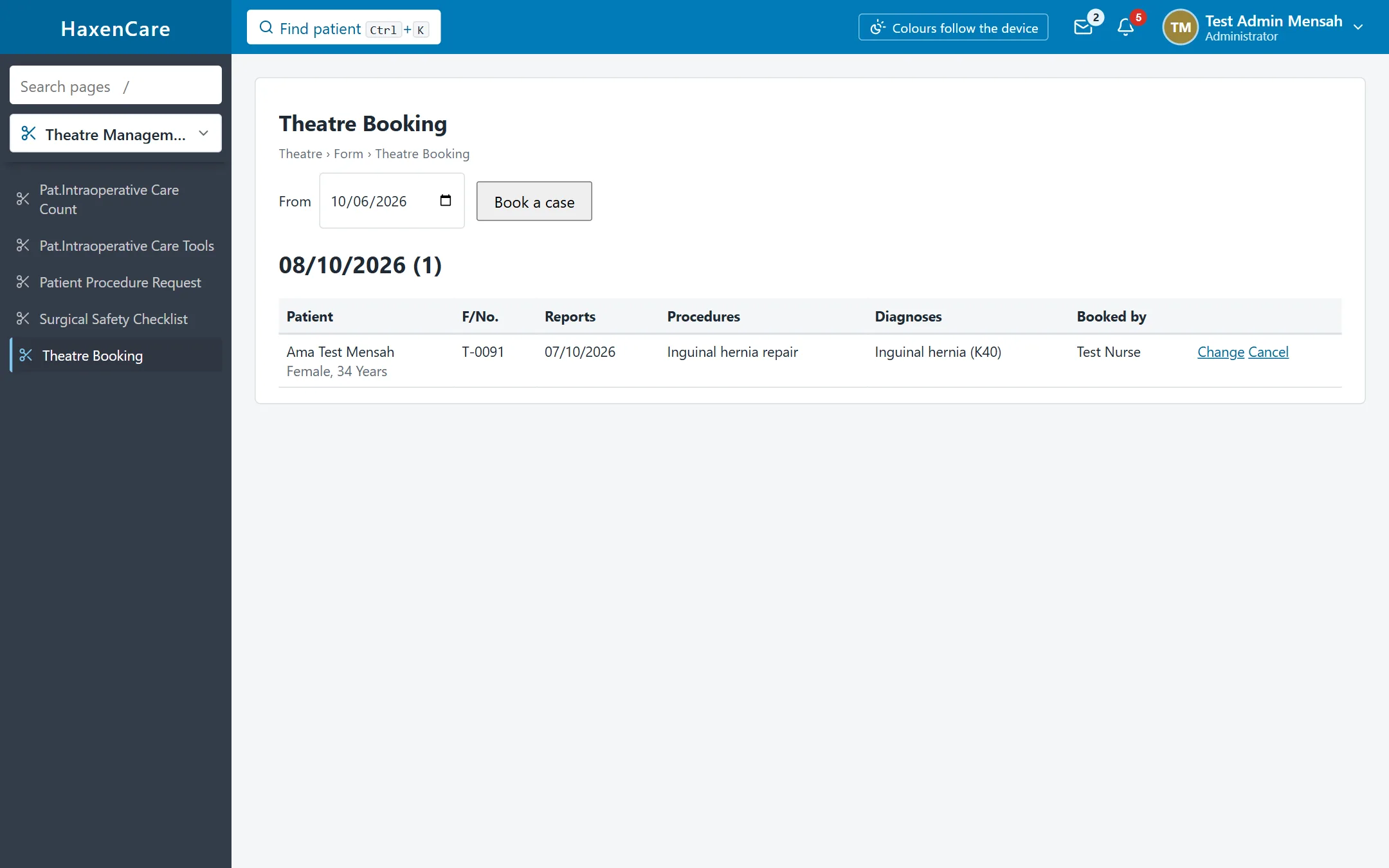
- Theatre booking, pre-operative assessment, surgical safety checklist, swab and instrument counts, operation notes.
- Maternity: deliveries, abortions register and monthly midwifery returns.
- Mortuary register and pathology reports. Blood bank: donors, screening, stock and transfusions.
Billing, insurance and NHIS
- Cashier: receipts, re-prints, deposits and refunds, each with who and when. Bills removed only with a reason from a fixed list, and reported.
- Private and corporate insurance: prices per insurer, authorisation codes, claims per visit, invoices, batches, and payments received against claims.
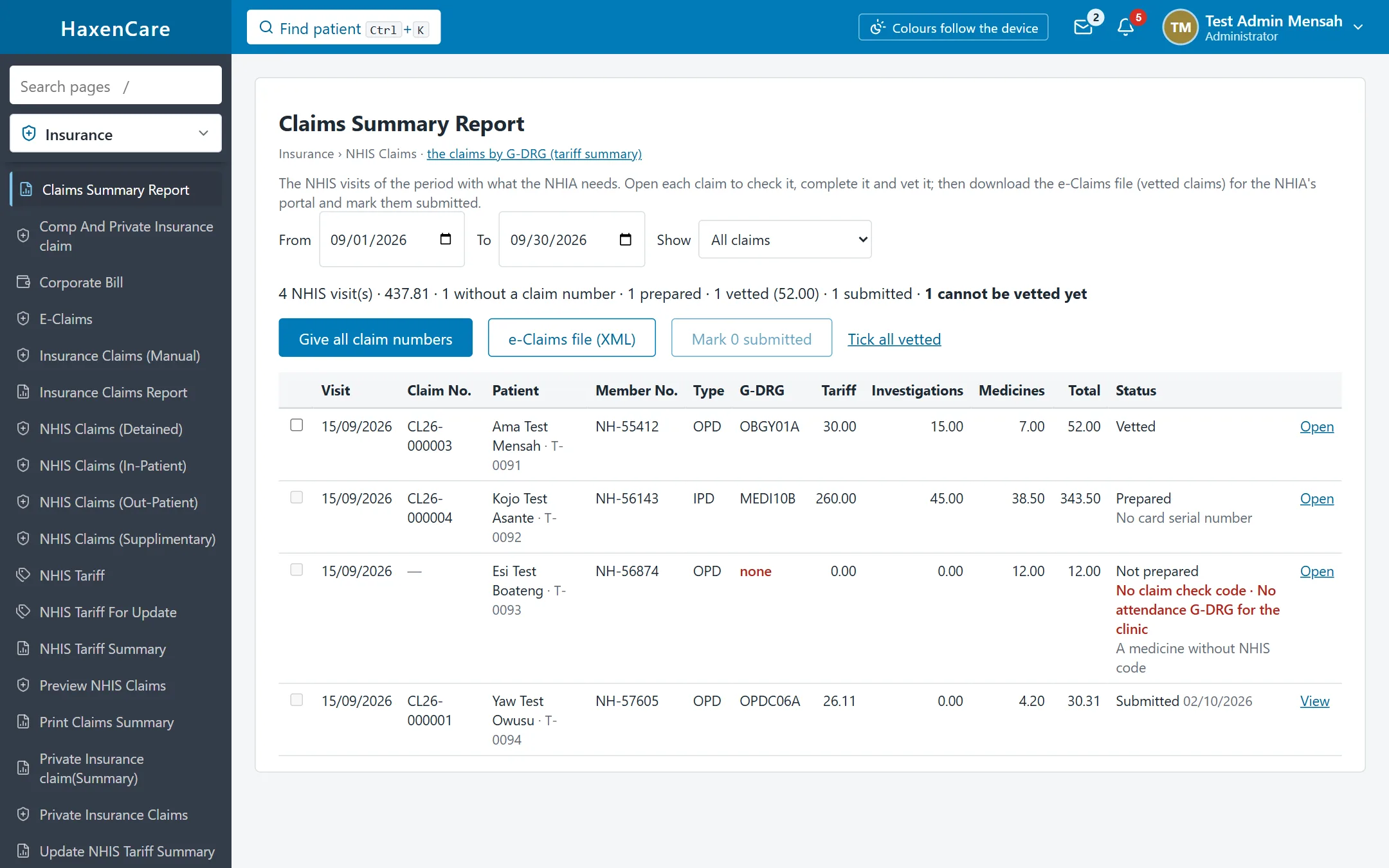
- NHIS: tariffs and diagnosis mapping, monthly claims prepared from consultations and checked before they are sent, claim forms, and export in the NHIA e-Claims format, to be confirmed with NHIA on the first live submission.
Reports and management
- 62 reports, from attendance, morbidity and laboratory returns to revenue, pharmacy and stores.
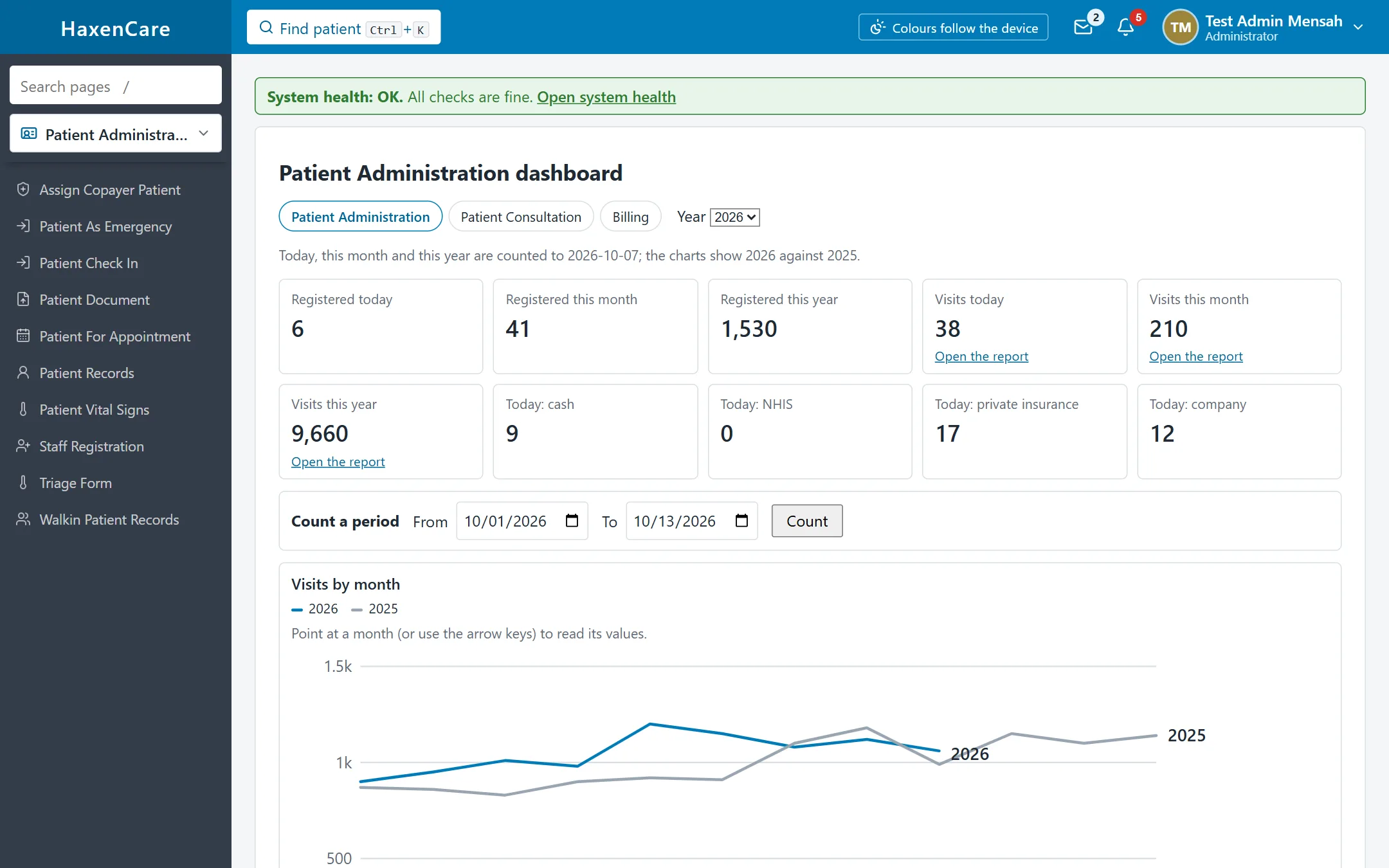
- A dashboard for each department, for any period you choose.
- Monthly returns sent to the ministry's DHIS2 system as totals, with no patient details; set up and tested with your district's DHIS2 before it is used.
- Prescriptions and dispensing of a period as a file in the FHIR R4 standard, for another health system to read. Your staff download it; nothing is sent by itself.
- Staff accounts and page-by-page access, managed by the hospital's own administrator.
On the computers you already have
Staff use a web browser (Edge or Chrome) on the hospital's PCs, tablets or phones, on the hospital network. It can be added to the desktop as an app. Day and night colours, larger text, and pages that fit a tablet at the bedside.
See HaxenCare with your own workflows.
We come to your hospital, or meet online, and walk through the departments that matter to you, with made-up patients.